Who’s responsible for your file
Your file is handled by Abid, Certified QuickBooks ProAdvisor — the same person through the review, the corrections and the hand-back.
About AbidError codes
Most codes are a quick fix. A few mean real damage — here's how to tell.
QuickBooks errors are the program telling you it cannot do something right now — usually reach a company file, a server, or a network drive. Most are local connection, hosting, or permission problems you can fix yourself. A few signal real file damage that needs repair.
Who this affects
If QuickBooks threw a code at you, start here. These are the errors we are asked about most. Each one is usually a connection, hosting, or permission problem on your side — not damage to your data. Open the one you are seeing for the plain fix, and the signs that mean it is time to call someone.
When to escalate
Most of the time the answer is none — you work the steps on the error's page and QuickBooks opens again. A specialist earns their fee only when the same code keeps coming back after the basics, or when it arrives alongside signs of a damaged file.
Start here
Your QuickBooks error — is it a quick fix or a real problem?
A CONNECTION MESSAGE
Usually a DIY fix
Network, hosting, firewall, or permission settings clear most codes — the steps are on each error's page.
See error H202IT KEEPS COMING BACK
Could be a damaged file
A code that returns after the basics, or a file that will not open, points to real corruption.
See file repairREPORTS ARE WRONG TOO
That's a cleanup
If the numbers are off as well as the error, the books need correcting, not the file.
See QuickBooks cleanupWho fixes what
Three lanes, left to right. Connection and access codes are settings work — hosting, firewall, permissions — for you or your IT support. A code that survives those steps points to file damage, which needs file repair or rescue. Wrong numbers alongside the error mean a books problem, which needs cleanup. An illustrative triage.
Your file is handled by Abid, Certified QuickBooks ProAdvisor — the same person through the review, the corrections and the hand-back.
About Abid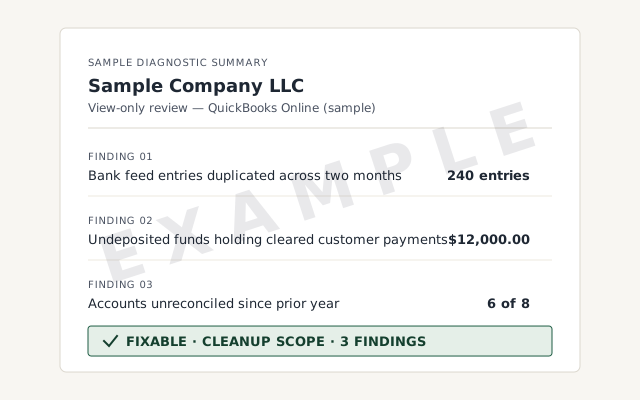 Sample workflow — not a specific client’s data
The written read-out you get when we diagnose an error, in plain language.
We rule out the simple causes before touching your file. See what repair involves.
See QuickBooks file repairA written reply within one business day.
Usually not. Most error codes are about reaching your company file — a network, hosting, or permission problem — not the numbers inside it. Your data is typically fine; QuickBooks just can't open or share the file at that moment.
Often, yes. The common codes have well-known steps: restart in the right order, check hosting and firewall settings, or move the file to a local drive. Each error page here lists the plain fix. If the code returns after that, the cause is usually deeper.
When the same code keeps returning after the basic steps, when the file will not open at all, or when QuickBooks reports the file is damaged. Those signal real corruption, and repairing the company file is the job — not another restart.
An error is a message; corruption is the cause behind some of them. Many errors clear once the connection or permission is fixed. Corruption means the file's data structure is damaged, which needs file repair or a rescue to recover.
A free diagnostic toolkit Intuit publishes for QuickBooks Desktop — it bundles File Doctor, program repairs, and network checks in one window. Download it only from Intuit's official site. We are independent of Intuit; we point you to the Tool Hub where it genuinely helps, and step in only when an error turns out to be file damage or a books problem.
No. The free review includes a view-only look at the error and the file. We tell you whether it is a quick fix you can do yourself or genuine damage that needs repair, and we quote a fixed scope only if there is real work.