Who’s responsible for your file
Your file is handled by Abid, Certified QuickBooks ProAdvisor — the same person through the review, the corrections and the hand-back.
About AbidQuickBooks error 15271
The payroll update won't finish? Here's why.
A payroll or product update that stops partway is the classic QuickBooks error 15271 symptom: a downloaded file failed validation, so QuickBooks refuses to install it. The cause is the update process — permissions, an interrupted download, or a blocked digital-signature check — not your data. Run the update as administrator and repair QuickBooks, and it clears. Your books are not affected.
Who this affects
You will usually see error 15271 right after QuickBooks tries to apply a payroll tax-table update or a product patch, with a message that the update did not complete because a file cannot be validated. That validation step is a safety check: QuickBooks will not install an update file it cannot confirm is intact and genuine. When the download is interrupted, or Windows blocks it partway, the file fails that check and the update stops. The data already in your company file is untouched — nothing was written to it. What failed is the installer, so that is where the fix belongs.
Start here
15271 — a blocked update, or drifted payroll figures?
THE UPDATE WILL NOT FINISH
An update fix
Run QuickBooks as administrator, reset the update, and repair the install — this clears most 15271 messages.
PAYCHECK OR LIABILITY NUMBERS LOOK WRONG
That is a payroll cleanup
Error 15271 does not change figures. If your payroll numbers have drifted, that is a bookkeeping correction, not an update.
See payroll cleanupFix it yourself
Most error 15271 cases clear by the second or third step, once QuickBooks has the rights and a clean download it needs to finish the update. Work these in order and stop when the update installs.
Close QuickBooks. Right-click the QuickBooks icon and choose Run as administrator, then try the update again. Full rights let QuickBooks replace the file it could not validate — this alone resolves many 15271 messages.
In the update settings, turn on the option to reset or clear the update, then download again. This discards the file that failed validation so QuickBooks fetches a fresh, complete copy instead of retrying a broken one.
Error 15271 is a signature-validation failure, so confirm the Intuit signing certificate is present and trusted on the machine. If the certificate is missing or blocked, the downloaded file cannot be validated and the update stops.
From Windows, run a repair of the QuickBooks installation. This reinstalls program files only — it never opens or alters your company file — and replaces any installer components that are damaged or incomplete.
Run the payroll or product update once more. With admin rights, a clean download, a valid certificate, and a repaired install, the file validates and the update completes without 15271.
The update fix, in order
Four stages, left to right: run QuickBooks as administrator for full rights, reset the update so it re-downloads cleanly, repair the installation's program files, then the update file validates and installs — the verified end state, marked with a tick. An illustrative sequence.
When it is more than a retry
If QuickBooks error 15271 returns after you have run as administrator, reset the update, and repaired the installation, the block is no longer inside QuickBooks. Something at the operating-system level is interrupting the download or quarantining the file before it can be validated — most often User Account Control, antivirus, or a firewall. That is an environment fix rather than a QuickBooks fix: your IT support can allow QuickBooks and its update service through the security software so the file downloads and validates cleanly. We can confirm from the error behavior whether the cause is the install or the environment, so you refer the right problem to the right hands. Two codes often travel with this one: error PS038, when a paycheck sticks in the send queue around a payroll update, and error 1603, when it is the install or repair itself that fails at the Windows level.
If the numbers moved
Error 15271 by itself changes nothing in your file, so a paused update does not put your payroll out of balance. But if you have been running on an out-of-date tax table, or paychecks and liabilities were entered around the failed updates and now do not reconcile, that is a genuine bookkeeping matter. Correcting drifted payroll figures is a payroll cleanup — a review of wage, tax, and liability accounts to bring them back to accurate — and it is entirely separate from getting the update to install. We are honest about which one you actually need before any work begins.
The update vs. your books
On the left, error 15271 lives in the installer: a downloaded file failed validation, and the fix is admin rights, a reset, and a repair — none of which opens the company file. On the right, the books themselves — paychecks, liabilities, taxes — are untouched by this error; figures that have genuinely drifted are a separate payroll cleanup. A comparison of the two.
Your file is handled by Abid, Certified QuickBooks ProAdvisor — the same person through the review, the corrections and the hand-back.
About Abid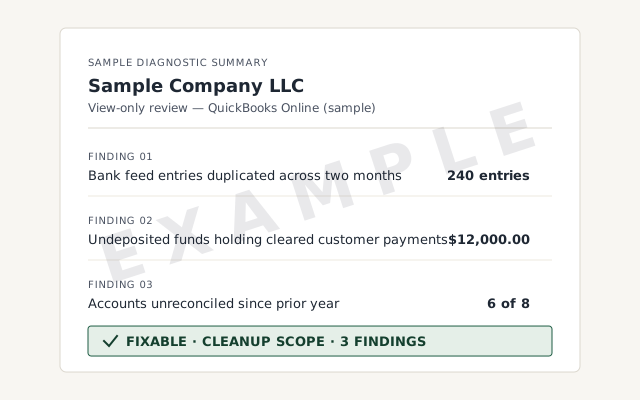 Sample workflow — not a specific client’s data
The written read-out that tells you whether it is the install, the environment, or drifted payroll figures.
We confirm the cause before touching anything, and never change your file to fix an update. See what file repair involves.
See QuickBooks file repairA written reply within one business day.
It means a payroll or product update did not finish because a file it downloaded could not be validated. QuickBooks blocks the update rather than install a file it cannot confirm is genuine. The cause is almost always the update process itself — permissions, an interrupted download, or a blocked digital signature — not your company file or your books.
Close QuickBooks, reopen it by right-clicking and choosing Run as administrator, then run the update again. Running with full rights lets QuickBooks replace the file it could not validate. If it still fails, reset the update so it re-downloads cleanly, then retry. That clears most 15271 cases.
No. Error 15271 is about an update that would not install, not about the numbers already in your file. Your paychecks, liabilities, and tax figures are untouched by this error. If those figures actually look wrong, that is a separate bookkeeping issue — a payroll cleanup — not something error 15271 caused.
Usually because something outside QuickBooks keeps blocking the update — User Account Control, antivirus, or a firewall interrupting the download or quarantining the file. When a repair and a clean re-download do not hold, the block is typically at the operating-system level, which is where your IT support can allow QuickBooks through.
Yes. Repairing the QuickBooks installation reinstalls program files only — it does not open or change your company file or your data. Keep a backup as a habit, then run the repair from Windows. If the update installs cleanly afterward, the problem was the installation, not your books.
QuickBooks still opens and works — the error blocks the update, not the program. But payroll depends on a current tax table, so paychecks created while the update is stuck are calculated on the old table. Clear the error before the next payroll run if you can, and verify checks written in the gap once the update installs.
Not sure how bad it is?
Describe the file and a specialist will tell you which of these you are dealing with — including when the answer is that you don't need us.