Who’s responsible for your file
Your file is handled by Abid, Certified QuickBooks ProAdvisor — the same person through the review, the corrections and the hand-back.
About AbidQuickBooks accounts payable cleanup
Bills you already paid, still showing open.
A QuickBooks accounts payable cleanup clears bills that were paid outside the bill-payment step and still sit open on the ageing. That single error does two things at once: it overstates what you owe, and it records the same expense twice — once on the bill, once on the payment that was coded straight to an expense account.
A QuickBooks accounts payable cleanup is the work of matching payments that were made outside the bill-payment step to the bills they actually settled, clearing bills that are genuinely not owed, and merging duplicate vendors — so the A/P ageing shows what the business really owes.
The A/P ageing is built from open bills: every bill still marked unpaid appears as money you owe. When a bill was entered and then paid with a plain check, the check is a separate transaction QuickBooks cannot associate with it. The bill stays open forever, and the ageing keeps reporting a debt that was settled months ago. Correcting the records the ageing is built from is what makes the total true — one piece of a full QuickBooks cleanup, not a substitute for reconciling the bank. The vendor side has a mirror on the customer side, which is the accounts receivable cleanup.
Businesses arrive here from a few recognisable routes, and they share one symptom: an A/P ageing nobody trusts enough to work from.
The most common is a business that enters bills to track what it owes, then pays some of them by card, transfer or plain check without going back through the bill-payment step. Close behind is the file where one person enters bills and another pays them, so the two halves never meet. Others arrive after a bookkeeper leaves mid-year, after a migration that brought bills across but not their payments, or when a lender or accountant asks why the balance sheet shows a payables figure the business knows it does not owe. A tax preparer questioning why expenses look higher than the bank activity supports is often the moment someone calls.
Paying a bill without using the bill-payment step overstates accounts payable and overstates expenses at the same time, from a single mistake.
One mistake, two wrong numbers
Top row: a bill for 4,200.00 records the expense once and opens accounts payable. A separate check for 4,200.00 coded to an expense account records the same cost a second time and never closes the bill. The result panel shows accounts payable overstated by 4,200.00 and expenses overstated by 4,200.00. Below, the correction recodes the check to accounts payable and applies it to the bill, and a confirmed panel shows both numbers correct. Illustrative figures, not a real file.
Entering a bill does two things: it records the expense and it opens a payable. Paying that bill with a plain check coded to an expense account records the expense a second time and never touches the payable. The profit and loss now carries the same cost twice, and the balance sheet still shows the debt. The correction is to recode that payment to Accounts Payable, attribute it to the vendor, and apply it against the bill it settled — which closes the payable and removes the duplicate expense in one move, because the cost then sits only on the original bill.
Timeline
Most A/P cleanups take about a week: a day-0 review, a few days matching payments to bills and merging duplicate vendors, a day or two on the stragglers, and a handback. Years of unmatched payments run one to two weeks.
Day 0
View-only look at the file; we size the open bills, the unmatched payments behind them, and quote a fixed fee.
Days 1–4
Payments made outside the bill-payment step are recoded to Accounts Payable, attributed to the vendor, and applied against the bills they settled.
Days 4–6
Duplicate vendor records are merged, and bills genuinely not owed are cleared with a vendor credit once you have approved the list.
Days 5–6
Anything dated inside a filed period is listed with dates and amounts and handed to you and your accountant rather than adjusted.
Day 6
An A/P ageing that shows what you owe, duplicated expenses removed, a written log, and a call to walk it through.
You get an A/P ageing that shows what the business actually owes, duplicated expenses removed from the profit and loss, and a written log of every payment matched and every credit applied.
Nothing is a black box. The log records each bill that was open, which payment closed it, and what evidence connected the two, so you or your accountant can audit any line without calling us. Where a bill was cleared with a vendor credit rather than a payment, the log says so and why. Anything dated inside a closed period appears on its own list for your tax preparer instead of being adjusted quietly. With a trustworthy ageing you finally have a payables figure the balance sheet can stand behind, and a vendor list worth working from.
What changes
A clean A/P shows debts you actually owe; a messy one carries bills settled months ago and expenses counted twice. Here is how the two compare.
| Clean A/P | Messy A/P | |
|---|---|---|
| Ageing shows what you really owe | — | |
| Payments matched to their bills | — | |
| Expenses counted once | — | |
| No duplicate vendor records | — | |
| Vendor credits documented and approved | — | |
| Closed periods left to the accountant | It depends | |
| Balance sheet payables figure defensible | — | |
| Verdict | A payables figure you can stand behind | A debt you already settled |
What it costs
Every A/P cleanup is a fixed scope with a fixed fee, quoted after a free view-only review. The figures below are published starting floors; the review sets the real range for your file.
| Engagement | Typical range | Timeline | What's included |
|---|---|---|---|
| A/P cleanup | From $1,500 | 1–2 weeks | Match payments to bills, merge duplicate vendors, and correct the ageing, one file. |
| A/P + A/R together | Custom fixed quote | 2–3 weeks | Both sides of the ledger in one engagement, with a single decision list. |
| Part of a full cleanup | Custom fixed quote | 2–4 weeks | Rolled into a complete cleanup when the wider file also needs work. |
| Get your range after a free review | |||
A/P cleanup
A/P + A/R together
Part of a full cleanup
Four situations decide how an A/P cleanup actually runs, and each has a boundary we hold rather than a judgement we make for you.
A bill that is genuinely not owed — a duplicate entry, a cancelled order, an amount the vendor wrote off — is cleared with a vendor credit applied against it, so the ageing drops without pretending money changed hands. You see the list and the supporting evidence before anything is applied, and nothing is cleared on a guess.
QuickBooks does not provide a way to clear bills dated on or before a closing date without affecting closed books. Those bills are separated out, listed with dates, vendors and amounts, and handed to you and your accountant. What happens to a filed year is their call and we do not make it quietly.
When one supplier exists under two spellings, their bills and payments split between the two names and neither balance is right. Merging them brings the history together so the combined balance comes out correct — done carefully, because a merge cannot be undone and the wrong merge is worse than the duplicate.
A bill that received inventory is not just a payable; clearing it carelessly moves inventory quantities and cost of goods with it. Those are flagged before anything is touched, because a correction that fixes the ageing and breaks the inventory valuation has not made the file better.
One firm does the work — the same specialist start to finish — and every payment matched or credit applied comes back as a documented change you can audit, not a silent adjustment from a rotating pool.
The method is verification rather than assertion: the ageing and the expense accounts are captured before anything is touched and re-run after, so the movement in both numbers can be shown rather than claimed. That matters more on the payables side than most people expect, because the correction that closes a bill also changes the profit and loss — and a firm that only shows you the ageing has told you half of what happened. Access stays minimal: view-only for the free review, QuickBooks' accountant access for the work, never your bank logins. And we hold a hard line at your vendors: we correct records, we do not call your suppliers, dispute an invoice, or negotiate terms on your behalf.
Skip us when the ageing already ties, or when the real problem is cash flow rather than records.
A business whose open bills are all genuinely owed does not need a cleanup — there is no prize for re-doing correct work, and the free review will say so. If you can name the two or three bills sitting open by mistake and you are comfortable recoding the payments yourself, our QuickBooks cleanup checklist covers the ground for free. And if the real issue is that the business owes more than it can pay right now, that is a cash-flow problem, not a bookkeeping one; an accurate ageing helps you see it clearly but it will not change the position. We will tell you which case you are in during the review, including when the answer is that you do not need us.
You do not have to take our word for it. Here is the evidence you can check — the deliverable you receive, the reference behind the method, and our response commitment.
Your file is handled by Abid, Certified QuickBooks ProAdvisor — the same person through the review, the corrections and the hand-back.
About Abid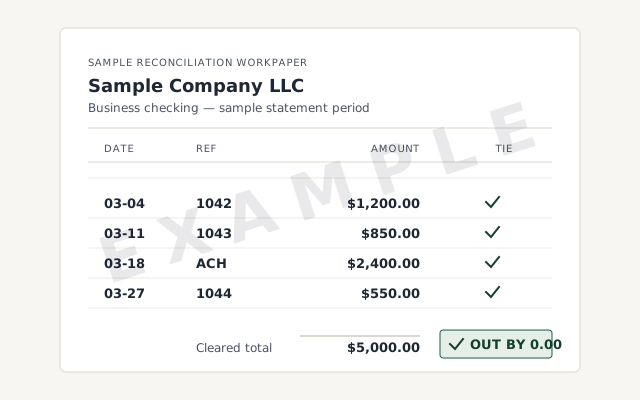 Sample workflow — not a specific client’s data
Each open bill, the payment that closed it, and the evidence that connected the two.
What accounts payable is and how the ageing is built — read the reference before you hire anyone.
Read the accounts payable referenceA written reply within one business day.
Remote-first, nationwide
Mon–Sat · 8am–6pm CT
We work entirely remote — view-only access for the free review, QuickBooks' accountant access for the cleanup itself, screen-share whenever you want to watch, and every payment matched and credit applied recorded in writing.
Almost always because the bill was paid with a plain check or expense rather than through the bill-payment step, and the payment was coded to an expense account instead of Accounts Payable. QuickBooks has no way to connect the two, so the bill stays open on the ageing while the money has already left the bank.
Yes, and this is the part most people miss. The bill recorded the expense once when it was entered, and the check recorded it again when it was coded straight to an expense account. The same cost is in your profit and loss twice, and the open bill is overstating what you owe at the same time.
The payment is recoded to Accounts Payable and attributed to the vendor, which lets it be applied against the bill it actually settled. That single correction closes the open bill and removes the duplicated expense at the same time, because the cost now sits only on the original bill.
Where a bill is genuinely not owed — a duplicate, a cancelled order, a vendor that wrote it off — it is cleared with a vendor credit applied against it, so the ageing drops without pretending money changed hands. Nothing is cleared on a guess: you see the list and the evidence first.
Not cleanly. QuickBooks does not offer a way to clear bills dated on or before a closing date without affecting closed books, so anything inside a filed period is separated out and handed to you and your accountant rather than adjusted quietly. What happens to a closed year is their decision, not a bookkeeping one.
It can correct both. Where the same cost was recorded twice, removing the duplicate lowers expenses to what the business actually spent — which raises reported profit for that period. That is why every change is documented and why anything touching a filed year goes to your tax preparer first.
No. We correct the records so your ageing is accurate and you know exactly who is owed what, but we do not call or email your suppliers, negotiate terms, or dispute an invoice on your behalf. That stays with you; we make sure the list you work from is real.
Both. Recoding a payment to Accounts Payable, attributing it to the vendor and applying it against the open bill works the same way in each product — only the menus differ. Online we work through QuickBooks' accountant access; Desktop by screen-share or a hosted copy of the file.
Most run about a week: a day-0 review, a few days matching payments to bills and merging duplicate vendors, a day or two on the stragglers, and a handback. Files with years of unmatched payments, or many duplicate vendor records, run one to two weeks.
An A/P ageing that shows what you actually owe, duplicated expenses removed, duplicate vendors merged, a written log of every match and credit, and a call to walk it through. Anything sitting in a closed period is listed separately for your accountant.
Payables rarely arrive alone: the receivables side of the same ledger, the uncategorized expenses those payments often landed in, or the full QuickBooks cleanup this can be part of.
Not sure how bad it is?
Describe the file and a specialist will tell you which of these you are dealing with — including when the answer is that you don't need us.