Who’s responsible for your file
Your file is handled by Abid, Certified QuickBooks ProAdvisor — the same person through the review, the corrections and the hand-back.
About AbidQuickBooks bank feed issues
Feed not importing right? Here's the fix.
QuickBooks bank feed issues are downloaded transactions that stop importing, arrive twice, or land in the wrong category. Reconnecting the feed and cleaning up a few recent items is usually a do-it-yourself fix; months of duplicated or miscategorized transactions need a cleanup so your reports and reconciliation can be trusted again.
Which do you need?
Start here
What is your bank feed doing?
STOPPED IMPORTING
Reconnect it yourself
A dropped connection usually just needs the feed disconnected and re-authorized at your bank — no specialist required.
IMPORTING DUPLICATES
Dedupe, then decide
A few recent duplicates you can delete yourself; months of them across accounts is a cleanup.
See duplicate transactionsMISCATEGORIZED FOR MONTHS
Cleanup
When bank rules mislabeled transactions for months, every wrong entry has to be recategorized and re-reconciled.
See QuickBooks cleanupHonest answer
A bank feed problem is not the same as a bookkeeping problem, and most feed hiccups don't need a specialist at all. Feeds drop their connection when a bank changes its login, adds a security step, or times out — an inconvenience, not damage to your file. If your books were reconciled through last month and the feed simply stopped last week, you're looking at a reconnection, not a cleanup.
Where it turns into real work is when a broken or misconfigured feed ran unnoticed for months. Duplicates accumulate when the same transactions are imported twice, or entered manually and then imported again. Miscategorization compounds when a bank rule quietly files dozens of transactions under the wrong account. In both cases the feed is only the source — the fix lives in the transactions it created, which is why this crosses over into cleanup.
Do-it-yourself
For a feed that just stopped, reconnecting is a do-it-yourself fix. In QuickBooks Online, edit the account on the banking screen, disconnect it, and reconnect through your bank so the feed re-authorizes; in Desktop, deactivate bank feeds for the account and set them up again. If Desktop refuses with a specific code along the way, error OL-301 is the connection failing and error OLSU-1013 is the online-banking setup failing — each has its own walkthrough. Transactions that downloaded while the feed was down can be imported with a .QBO or .CSV file from your bank if needed.
The For Review decision
A downloaded item sits in the For Review tab. If it's already entered in your books, Match ties it to that entry — one register line. If it's genuinely new, Add posts it once. If the real transaction is already recorded and the download isn't needed, Exclude drops the copy. Clicking Add on top of an existing entry is how duplicates start.
For a handful of recent duplicates, you can clean them yourself too: match or exclude the copies in the For Review tab before you accept them, and delete any that already posted. Do this before you reconcile, and check the register against the statement as you go. The moment the duplicates or miscategorized entries stretch back months — or you've already reconciled around them — stop, because unwinding that safely is what a cleanup is for. Deleting reconciled transactions to start fresh usually makes the next reconciliation worse.
Your file is handled by Abid, Certified QuickBooks ProAdvisor — the same person through the review, the corrections and the hand-back.
About Abid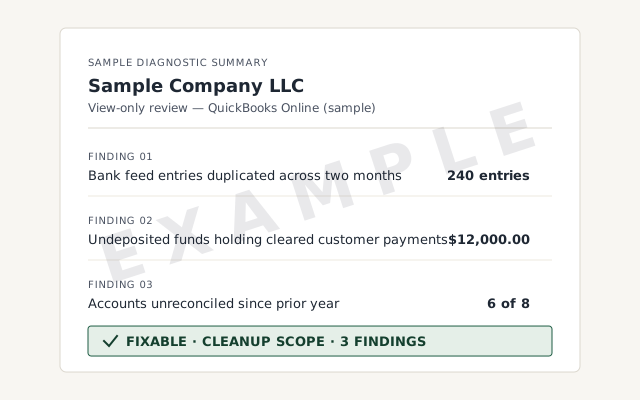 Sample workflow — not a specific client’s data
The corrected register and reconciliation report you receive once duplicate and miscategorized feed entries are cleared.
Every corrected transaction re-reconciled to the statement. Read the method.
Read the reconciliation referenceA written reply within one business day.
Remote-first, nationwide
Mon–Sat · 8am–6pm CT
We work entirely remote — view-only access for the free review, QuickBooks' accountant access if you hire us to clean up what the feed created, screen-share whenever you want to watch, and every corrected month documented in writing.
Almost always a connection issue on the bank's side — a changed password, a new security prompt, or a maintenance window. Disconnecting and reconnecting the account so the feed re-authorizes usually restores it, without touching your existing transactions.
Duplicates happen when the same transactions are downloaded twice, or entered by hand and then imported. QuickBooks tries to match them, but overlapping date ranges or a re-added account defeat that. A few you can delete; months of them is a cleanup.
Feeds skip items when the connection drops mid-download, and a newly connected account only pulls a limited window of history — often around 90 days. Fill the gap by importing a .QBO or .CSV file from your bank, then reconcile against the statement: that's the check that catches anything the feed missed.
Not safely once you've reconciled. Deleting reconciled transactions breaks the reconciliation behind them and usually creates more work than it saves. Corrections should be made transaction by transaction, then re-reconciled to the statement.
A bank rule is matching too broadly. Rules auto-assign a category from the payee or description, so one loose rule can mislabel dozens of transactions. Tightening the rule fixes it going forward; the already-miscategorized history still has to be corrected.
No. The feed imports transactions; reconciliation proves your books match the statement line by line. A feed can import cleanly and still leave you unreconciled, and a broken feed doesn't excuse skipping the reconciliation — that's the check that catches what the feed missed.
Not sure how bad it is?
Describe the file and a specialist will tell you which of these you are dealing with — including when the answer is that you don't need us.