Who’s responsible for your file
Your file is handled by Abid, Certified QuickBooks ProAdvisor — the same person through the review, the corrections and the hand-back.
About AbidQuickBooks Desktop end of life
Explained plainly — what stops, and what keeps working.
When a QuickBooks Desktop version reaches end of life, Intuit stops servicing it — payroll, payments, and security updates switch off — but your company file still opens, records transactions, and runs reports. What ends is the servicing around the file, not the file itself. Your options: stay put, upgrade to a serviced Desktop edition, or move to QuickBooks Online.
QuickBooks Desktop end of life means Intuit stops servicing a specific annual Desktop version — its payroll tax tables, merchant payments, and live security updates are switched off — but your company file itself does not stop working; it still opens and calculates exactly as before.
It helps to separate two things people blur together: the software version and the data file. Intuit releases a new Desktop edition each year, and each edition carries an expiry on its connected services. When a version reaches end of life, Intuit "discontinues" it — the term of art simply means that year's edition no longer receives updates or add-on services. The company file you have been working in is unaffected as a document; it is not remotely disabled, deleted, or held hostage. That distinction matters, because the marketing pressure around a sunset can make it sound like your books are about to vanish. They are not. What is ending is Intuit's obligation to keep servicing that particular version.
After a QuickBooks Desktop version reaches end of life, the software keeps opening your file, recording transactions, and running reports; what you actually lose are the connected services — payroll tax-table updates, integrated merchant payments, live bank feeds, and security patches — not the accounting itself.
In practice, a discontinued version behaves like any offline program: it launches, your history is intact, and you can keep invoicing and reporting. The gaps show up at the edges that depend on Intuit's servers. Payroll is usually the first thing businesses notice, because tax tables stop updating and the numbers drift out of date. Payments and bank-feed connections are the next to go. The quietest loss — and the one that grows over time — is security updates: the program stops getting patched, which is a real exposure for a file full of financial and personal data, even though nothing breaks on day one. None of this is a sudden shutdown; it is a steady narrowing of what the version can safely do.
What stops, what doesn't
When a Desktop version reaches end of life, the outcome splits in two: the company file itself keeps working — it opens, records transactions, runs reports, and its history stays intact — while the connected services switch off: payroll tax tables, merchant payments, bank feeds, and security patches. The quiet loss is security, a gap that widens the longer the discontinued version runs. Structural summary only; it carries no dates, because retirement timing is Intuit's to publish.
When a QuickBooks Desktop version reaches end of life, you have three honest options: keep running the discontinued version offline and accept the shrinking service and security, upgrade to a newer serviced Desktop edition, or move to QuickBooks Online — the path Intuit is steering most businesses toward.
End of life · your three options
Three parallel options. Option 1, keep the discontinued version: your file still opens but payroll, payments, and security services stop. Option 2, upgrade Desktop: move to a currently serviced Desktop edition and keep those services, though new Desktop subscriptions are no longer sold to most new U.S. businesses. Option 3, move to QuickBooks Online: the path Intuit is steering most businesses toward, marked as the common path. Across all three, your existing company file still opens; ongoing service is what moves online. Illustrative summary of the options, not a recommendation for a specific file.
Which option fits is a judgment about your file, not a rule. Staying on a discontinued version can be reasonable for a short, planned bridge — but not as a permanent posture, because the security gap only widens. Upgrading Desktop keeps everything familiar and is often the right call for files that genuinely need Desktop-only features. And for many businesses, the move to QuickBooks Online is the one that ends the recurring end-of-life question for good. If you run QuickBooks Enterprise, the same logic applies with an extra step — Enterprise maps to QuickBooks Online Advanced, and some Enterprise-only features need a decision made deliberately.
Moving to QuickBooks Online is the common path because Intuit has shifted its development and sales focus there — new Desktop subscriptions are no longer sold to most new U.S. businesses — so Online is increasingly where ongoing service, updates, and support actually live.
This is a trend, not a threat, and it is worth stating honestly. Intuit is steering customers toward QuickBooks Online: it is the product getting the new features, and it is the one available to new subscribers, while the Desktop lineup narrows. For a business already facing an end-of-life version, that changes the arithmetic — buying a newer Desktop edition can solve the problem for another few years, but it does not change the direction of travel. Online also removes the version-expiry cycle entirely, because it is serviced continuously rather than in annual editions that age out. That is why, for most files that have to move anyway, the Desktop-to-Online migration is the destination people ultimately choose — not because they are forced across on a fixed date, but because it is where the product is going.
We help by moving your Desktop file into QuickBooks Online and then reconciling the converted file back to the Desktop data — same trial balance, same key reports, to the penny — so the switch is proven to tie out rather than hoped to.
Our specialty is QuickBooks bookkeeping with a reconciliation-first method, and we apply it to end-of-life moves the same honest way we apply it everywhere. We read your Desktop file as the source of truth and save its reports; we map every account, name, and balance to where it belongs in Online; we validate by reconciling the converted result against the saved Desktop figures; and only then do you cut over. The free review runs on view-only access, and the move itself uses QuickBooks' accountant access in the new file to make and log every change — never your bank logins — with your Desktop file reached by screen-share or a hosted copy. Lists, balances, and most history carry across — but some software-specific items are rebuilt, and we tell you exactly which before we move, so nothing you rely on quietly disappears. If your file would be better cleaned before it moves, we will say so, because moving a mess just relocates it. You can see precisely how the checking works in our methodology, and start whenever you are ready with a free QuickBooks review — where we confirm where your version stands and whether it is worth moving yet.
You do not have to take our word for it. Here is what you can check — the record you receive when a move closes, the method we use to prove the converted file reconciles, and our response commitment.
Your file is handled by Abid, Certified QuickBooks ProAdvisor — the same person through the review, the corrections and the hand-back.
About Abid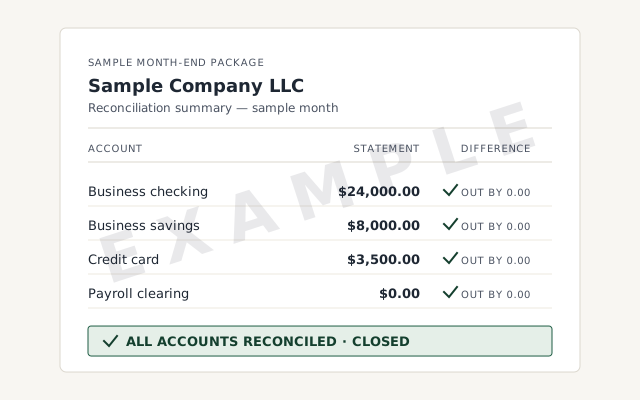 Sample workflow — not a specific client’s data
The written map of what moved, what was rebuilt, and the Desktop-to-Online reconciliation you receive when the move closes.
How we prove the converted file ties back to your Desktop data. Read exactly how.
Read the full methodA written reply within one business day.
Remote-first, nationwide
Mon–Sat · 8am–6pm CT
We move you off an end-of-life Desktop version entirely remote — view-only access for the free review, QuickBooks' accountant access for the work in the new file, your Desktop file reached by screen-share or a hosted copy, and every mapping decision documented in writing.
No. End of life stops the connected services — payroll updates, merchant payments, online banking feeds, and security patches — not the software itself. Your company file still opens, you can still enter transactions, and your reports still run. What you lose is the servicing around the file, not the books inside it.
Payroll is usually the first thing businesses notice. The discontinued version stops receiving payroll tax-table updates, so the withholding numbers drift out of date, and the connected payroll service switches off along with payments and live bank feeds. Your payroll history stays intact in the file — what ends is the ongoing service that kept the numbers current.
As a general rule, each annual Desktop version loses its payroll, payments, and live security-update service roughly three years after it is released, when Intuit discontinues that year's edition. The exact retirement point depends on the version, so we confirm where your specific version stands during the free review rather than guessing at a date.
Not immediately, and not automatically to Online specifically. You can keep running a discontinued version offline, upgrade to a newer serviced Desktop edition, or move to QuickBooks Online. Online is the path Intuit is steering most businesses toward, but it is a choice — we help you weigh which one actually fits your file.
It works, but it stops receiving security updates, and that is the real risk — not a sudden shutdown. For a file with sensitive financial data, running software that no longer gets patched is a growing exposure over time. Many businesses keep a discontinued version briefly while they plan the move; staying on one indefinitely is a decision to make with eyes open.
Often, yes. Buying or subscribing to a currently serviced Desktop edition restores payroll, payments, and security updates without changing products. That said, Intuit no longer sells new Desktop subscriptions to most new U.S. businesses, so the newer-Desktop option is narrowing over time — which is why many files eventually move to QuickBooks Online anyway.
We reconcile the converted file back to your Desktop data before you rely on it — same trial balance, same key reports, to the penny. Lists, balances, and most history carry over; some software-specific items are rebuilt, and we tell you which before the move. The proof is the reconciliation, not a promise that the tool worked.
Ready to plan the move? Start with the Desktop to Online migration, see the full QuickBooks migration overview, or handle an Enterprise migration instead. Still weighing the platform itself? Our QuickBooks Desktop overview lays out who Desktop still suits.
Not sure how bad it is?
Describe the file and a specialist will tell you which of these you are dealing with — including when the answer is that you don't need us.